Pages

Thursday, November 10, 2016

Anaglyph Effect : How to use the Photoshop Action


Download the photoshop action event here:

https://www.dropbox.com/s/2jufqu9aq3if3au/Mahesh_Anaglyph%20Action.atn?dl=0

Saturday, September 3, 2016

Tutorial : Using Z Depth on Photoshop

A quick tutorial on using Z-Depth in Photoshop / AfterEffects (in case of video).
Ps: Listen on headphones, coz just realized that my mic level was really low.


.

Wednesday, August 31, 2016

Making "They're here"


Spent last night watching Carpenter's "The Thing" and thus woke up fully inspired to create this image ,which makes not much sense - Two alien, but organic, multi-pods attacking a country side gas station. I knew from the beginning that this wasn't a single application job. I queued up the process flow in my mind and started with  3D Studio Max. Task in hand was to make the creatures. I wasn't intending to spend a lot of time on this image, so I went for a low poly, super simple mesh. 

Started with a low-poly sphere and extruding a couple of polygons to create the tentacles.


I applied a turbosmooth to smoothen the mesh and then a noise modifier to get the fractal noise I needed to make the tentacles look alive. Applied another turbosmooth modifier on top of this to polish the look of the model. 


Applied an organic skin material from a bitmap and created two versions of the render in two different angles after slightly modifying the noise before the second render. 


Took a box and applied the Gas-station texture on 4 sides as a UVW Wrap.Foliage was added with Photoshop. I used several layers of grunge and decay to create a post apocalyptic look for the scene. 


.

Friday, January 29, 2016

Cheating Background for Toy Photography.

What I blasphemously show ; 


What I actually do.


.


Tuesday, December 8, 2015

Digital Color Reproduction.

You can convert pretty much any black and white photograph to color using this simple photoshop technique. 

Open the black and white image in photoshop. 
Create a new layer.
Change the blending mode to Color.
Take the brush tool and paint the required color on the new layer. 
You could reduce the opacity of the layer a bit to make the colors more natural.


.


Thursday, December 3, 2015

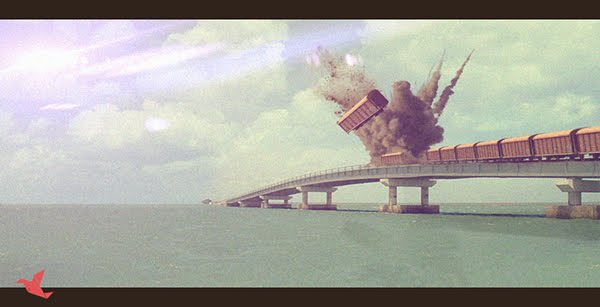
Day Train: Digital Matte


Click here to watch the layer breakdown video.

.

Sessions: Modelling Madness.

In 3D computer graphics, polygonal modeling is an approach for modeling objects by representing or approximating their surfaces using polygons.


.

Monday, November 30, 2015

Designing Movie Posters.

A film poster is a usually a print-ad used to promote and advertise a film. One of the most effective promotional tools out there- and is a massive opportunity window for creative designers worldwide.

Things to remember while creating a poster:

-Pay close attention to the genre of the films and design your style accordingly
-TypeDesign is the KEY
-Think Minimal. Show what is needed and not a thing more


=


.


Sunday, November 29, 2015

Tips for getting the perfect Splash Photography


-Make sure that you are shooting against a dark backdrop


-Since you will be shooting at a faster shutter-speed make sure that there is enough light to compensate for it.


-If you want a clear glass without the object used to splash the water up, take two exposures (One before the impact and one after it) and create a composite using Photoshop. 


.

Saturday, November 28, 2015

Mise-en-Scene

Mise-en-Scene, is everything that goes in front of the camera in that particular scene. Lighting, Costumes, Backgrounds, Foregrounds, Positioning, Props etc. This is really critical while creating interesting miniature/toy photographs. You can see my associate, Param, carefully staging the scene for the shot. The final image was captured using the OnePlus2 mobile camera.