Pages

Wednesday, November 4, 2009

Photoshop Tutorial: Create 'GOD OF WAR" Title Text


Here is how to quickly create a GOD OF WAR III Logo in Photoshop.Click to read the full post.


1.Create a new document and fill it with Black.


2.Bring in any grungy texture.Drag it to our document.


3.Create a vignette using the good old fill and eraser tools.


4.Type the text.'I' in this case.


5.Bring in the grungy texture again.Place it under the text.Using the Magic wand tool,select the text and cut the selection from the grungy texture layer.


6.Adjust the curves to make the text a little contrasting.


7.Duplicate the text,scale it and place it accordingly.Refer the screenshot.


8.Apply a layer shadow to the text layers.


9.Merge the layers and play with the curves to get the effect right.


10.Type in your title and you are good to go!


Visit: mypaperbird.com

Wednesday, October 28, 2009

New Domain Name..Finally!!


Finally we are up and running on our new domain name...

www.mypaperbird.com


Thanks!

Thursday, October 8, 2009

Killer Tip: Design: Starting Trouble Fix

I know many of you designers had this problem,when you trying to make a design and your mind is absolutely blank like the white document you have open, in Photoshop.Well,i just had one of those moments and wanted to share an interesting tip to start you off (You are NOT gonna thank me for this,trust me).

* Open a Photograph.
* Blur it to the maximum value possible.
* Now you have a background for your design.Work on it!

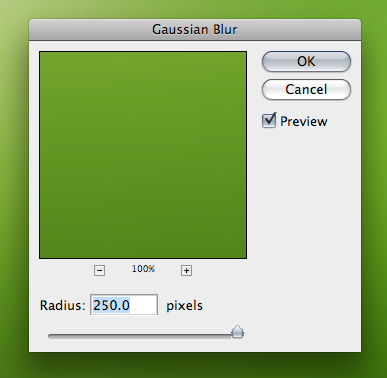



PS: Told you,its a killer tip.Which means if you are anywhere near me there is a big chance of you killing me right now!


Visit: mypaperbird.blogspot.com